From your payroll export to a WH‑347 to sign
One project, one wage determination, one week at a time. The check runs as you type, and the filled WH-347 downloads in one click.
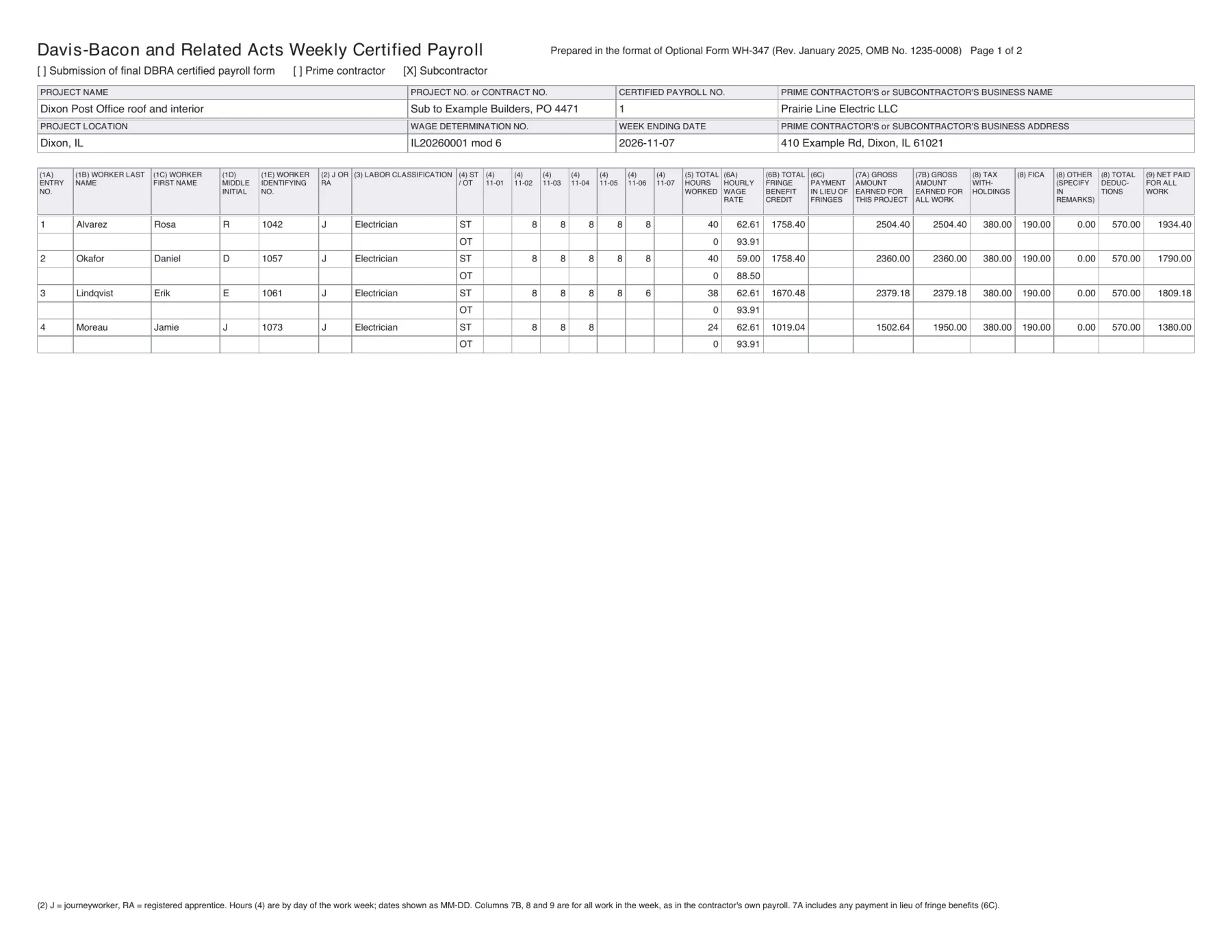
Set up a project
Enter the project, its county and its type of construction. We list the active Davis-Bacon wage determinations for that county from SAM.gov; pick the one in your contract. Every week on the project is checked against it.
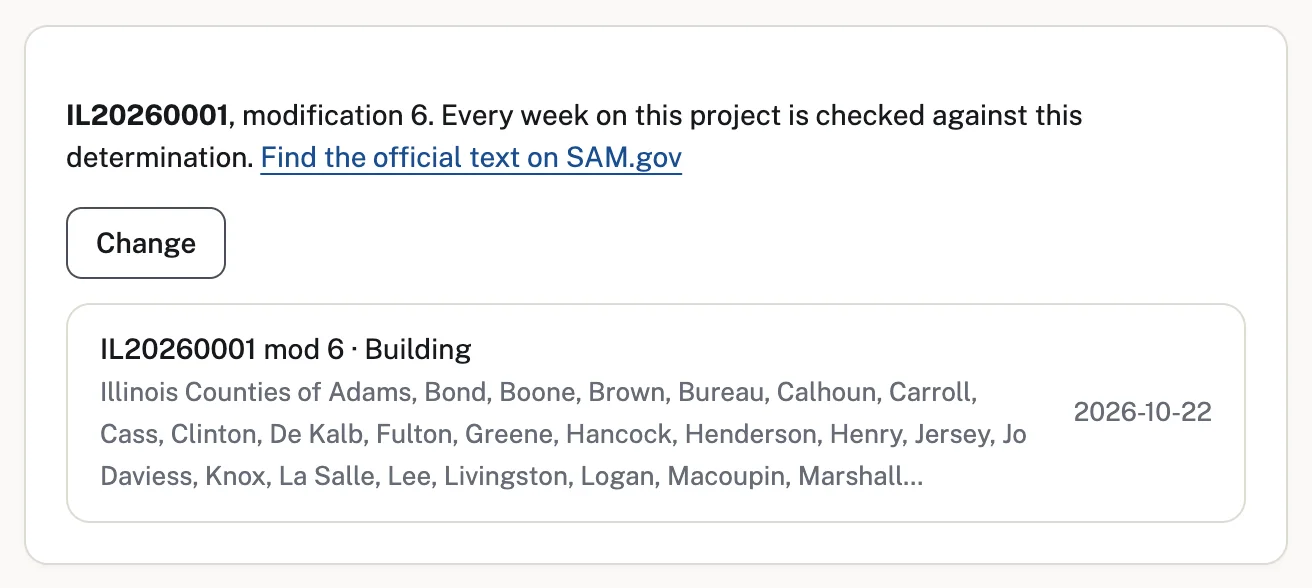
Import your payroll export
Upload the CSV export from your payroll and match its columns to the WH-347 fields once. We remember the match, so next week is one upload.
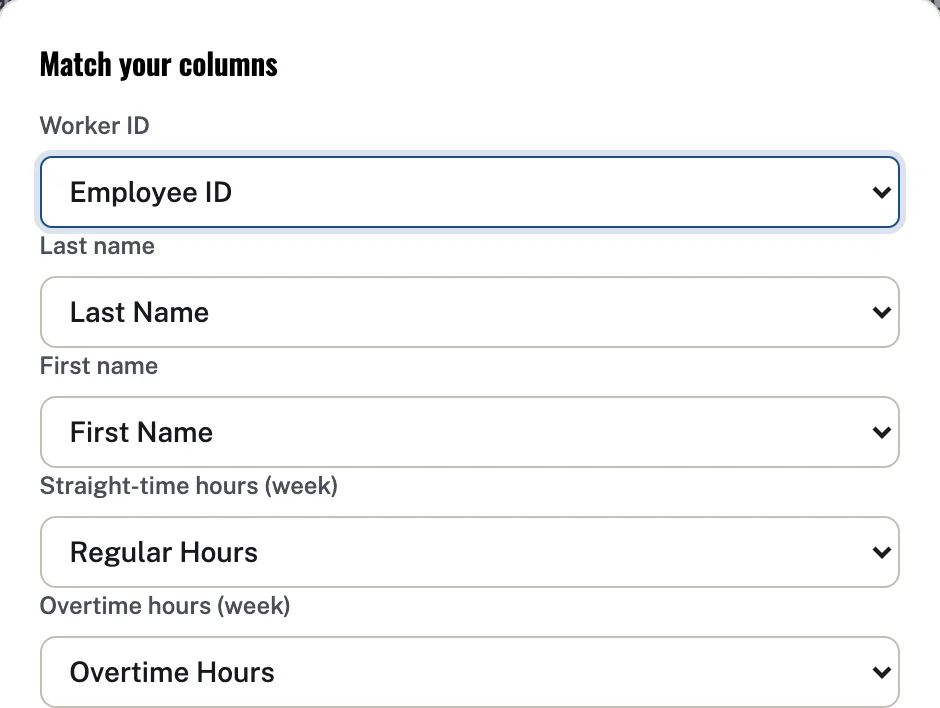
The weekly grid
Each worker with their classification, straight-time and overtime hours by day, rate, fringe credit and cash in lieu, then gross pay, deductions and net, as on the WH-347.
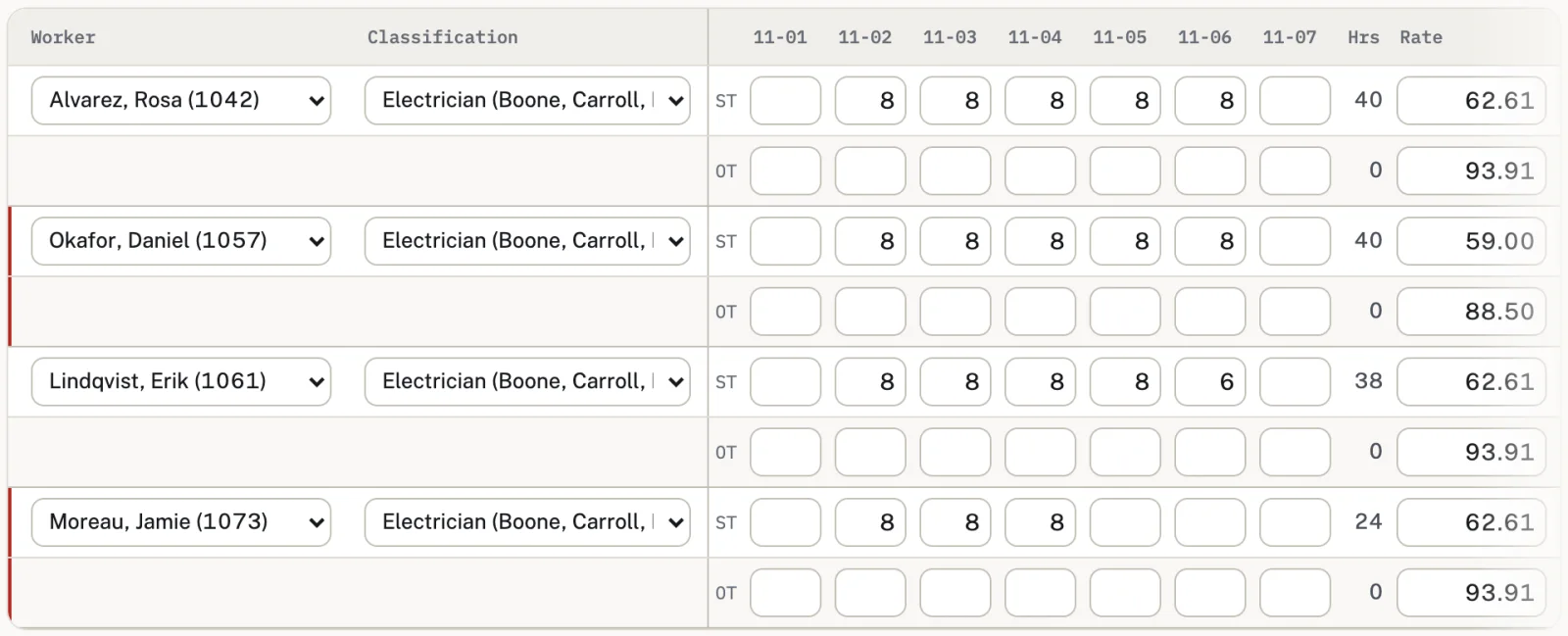
The check
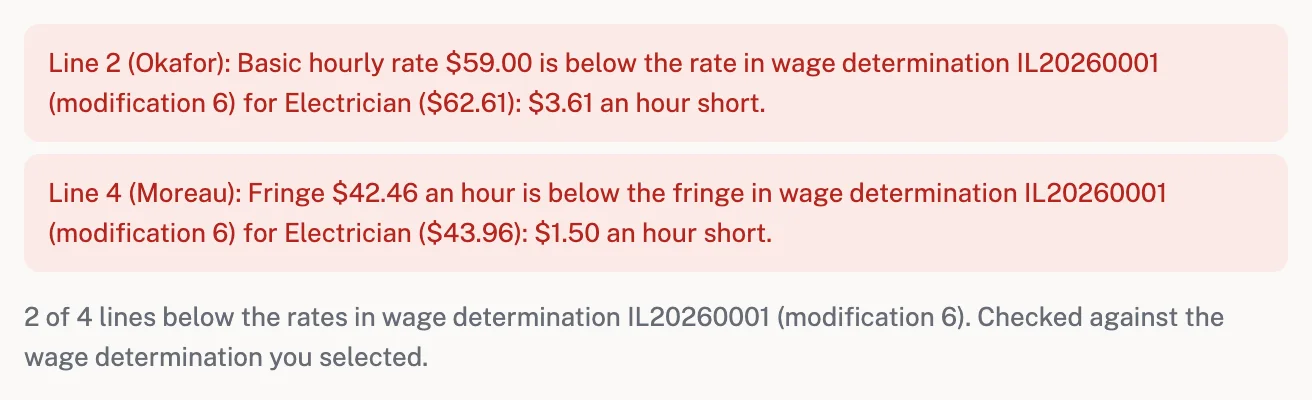
Every line is checked as you type: basic rate, fringe and overtime at 1.5 times the basic rate, against the determination you picked. Anything short shows in red with the amount per hour.
Your WH-347
Download the filled WH-347 with the Statement of Compliance and the fringe benefit table as one PDF, ready for your certifying official to sign.
Next week
Start the next week with last week's workers and rates copied in. Payrolls are numbered in order per project, and you mark the final one.

The WH-347 we fill
The layout follows DOL's Optional Form WH-347, "Davis-Bacon and Related Acts Weekly Certified Payroll Form" (Rev. January 2025, OMB No. 1235-0008): project and contractor details, each worker's entry, classification, daily straight-time and overtime hours, rates, fringe credit, cash in lieu, gross for the project and for all work, deductions and net pay, then the six statements, the apprenticeship and fringe benefit tables, and the signature block. DOL accepts any format with the same information.